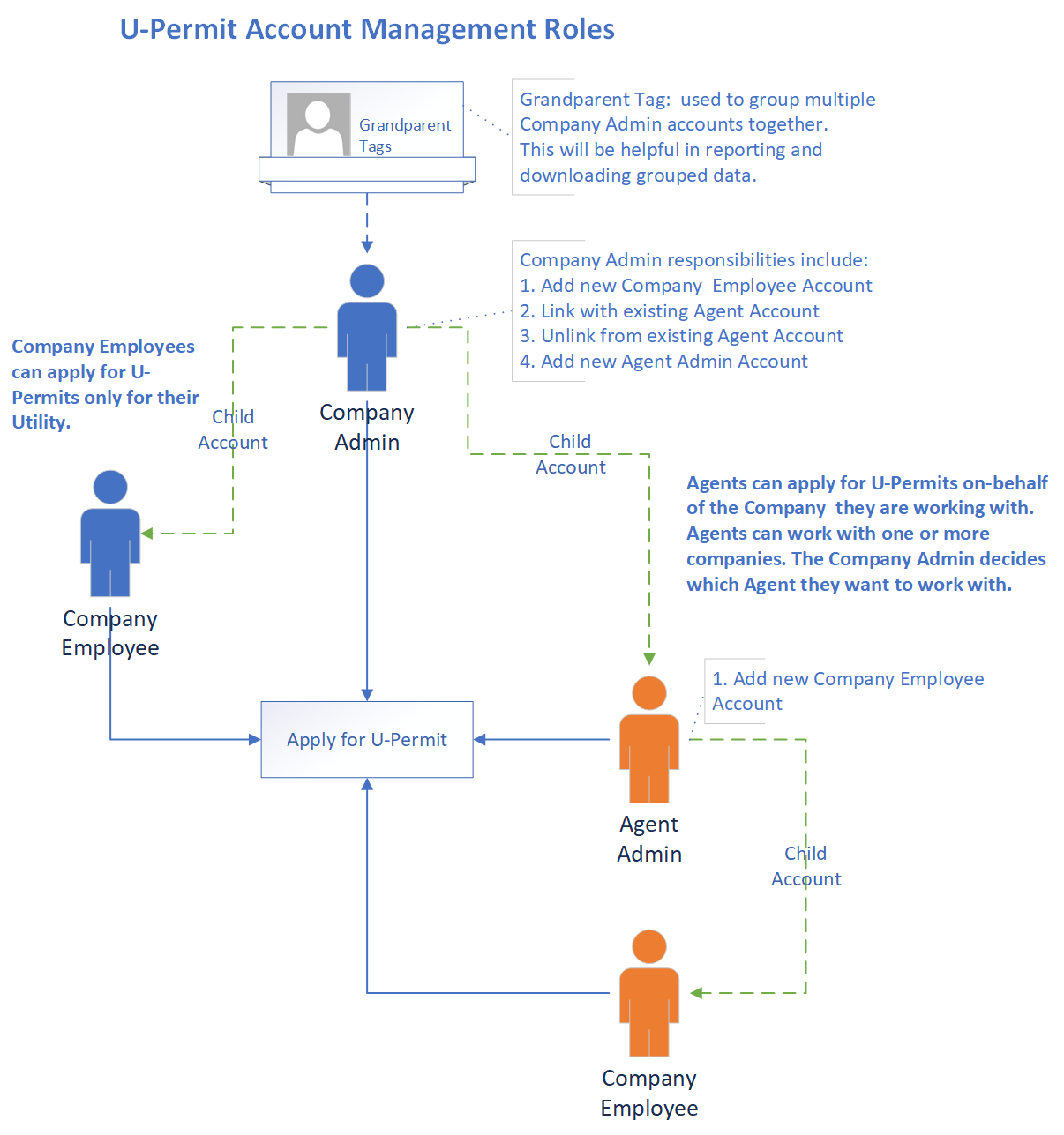
Excavation “U” Permits are issued to public utilities and telecommunication companies regulated by the Public Utilities Commission of the State of California to install public utilities in the public right-of-way per LAMC 62.02, 62.03, 62.04, 62.05, 62.06, and 62.08-62.10 (AGF) (all sections and sub-sections). In order to apply for Excavation U-Permits you need to have a Utility Company Account with the Bureau of Engineering (BOE). If you do not have an account, please see the directions below.
Please refer to the BOE Permit Manual for general conditions and requirements regarding Excavation U-Permits.
To sign in to the U-Permit Application, you need an account. New customers who wish to use the Online Excavation U-Permit Application should set up an account within the Utility Permit application. The following are the instructions for account setup for both CPUC licensed and Franchised Utility Companies.
Complete the form as indicated below and then upload the 'Franchise Agreement Document' after logging in to the system.
-
California Public Utilities Commission (CPUC) Franchised Utility Companies
- Click the "Request Account" button from the top navigation bar or the U-Permit application.
- Click “Next” button after reading the account registration information and instructions to input account information to "Request Account" as a Utility Admin.
-
Log-in with account credentials to update your record and submit for account approval by uploading a copy of your Franchise Agreement or a copy of the CPUC license.
- Click “Upload Attachments”
- Upload one file at a time (Max Size: 50 MB)
- Once the file is uploaded, click “Go Back” button to finalize record
- Click “Submit Account for Approval” (Note: Upon submitting your account for approval, you will not be able to edit your information or upload a new Franchise Document.)
- Click “Submit”
- You will be notified via e-mail when the Admin account is activated.
- Upon approval, you can start applying for Excavation/Utility Permits online.
-
Designated Agents/Consultants of a CPUC Franchised Utility Company
- If you provide services to a CPUC licensed company or a company with a Franchise Agreement with the City, please request an "Agent account" from the company.
- The instructions on how Utility companies can create and manage Agent Accounts can be found here.
- Once an Agent account has been activated, the Agent will receive an email from the system.